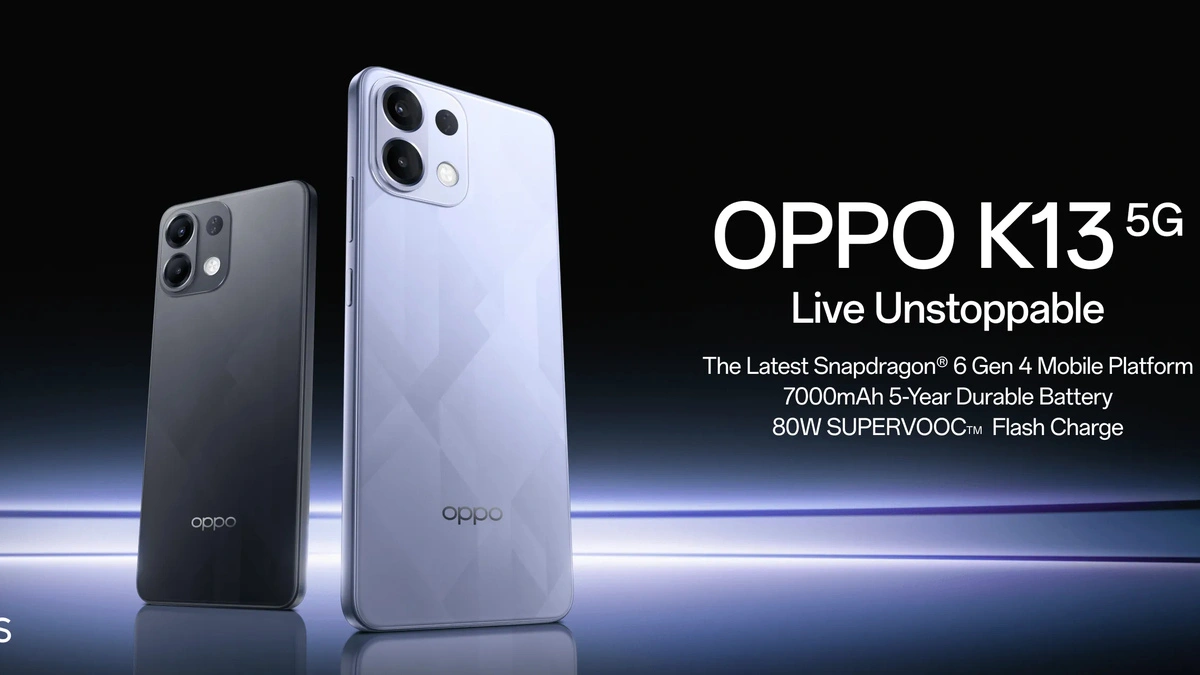
Discover the hidden features of Oppo K13 5G that will enhance your smartphone experience. Learn tips, tricks, and secret functionalities that most users miss.
Introduction
The Oppo K13 5G is more than just a stylish and powerful smartphone; it’s packed with features that many users don’t even know exist. While most reviews focus on its specs like the 5G connectivity, AMOLED display, and robust processor, there are hidden features that can truly elevate your experience. From secret shortcuts to performance-boosting tricks, the Oppo K13 5G has a lot to offer beyond the basics. In this article, we’ll dive deep into these hidden features, showing you how to unlock the full potential of your device.
The Oppo K13 5G is one of the most compelling mid‑range phones in 2025, boasting a huge 7000 mAh battery, fast 80W SuperVOOC charging, and a vibrant 120 Hz AMOLED screen — but its true power lies in the hidden software features and smart system tricks that most users never discover.
While specs like the Snapdragon 6 Gen 4 chipset are impressive, those who truly master the Oppo K13 5G dig deeper into ColorOS 15 — Oppo’s smart and AI‑enhanced operating system — to squeeze out every bit of convenience, performance, and personalization.
In this deep‑dive article, we’ll explore the hidden gems, secret settings, and smart tricks that’ll blow your mind — from multitasking masteries to privacy tools and battery life hacks.
1. Smart Sidebar for Quick Access
One of the most underappreciated features on the Oppo K13 5G is the Smart Sidebar. This tool allows you to access your favorite apps, shortcuts, and tools without leaving your current app.
How to Enable:
- Go to Settings → Convenience Tools → Smart Sidebar.
- Toggle it on and customize your shortcuts.
Benefits:
- Multitask efficiently without switching apps.
- Take quick screenshots or record your screen.
- Access apps with one swipe, saving precious time.
2. Screen-Off Gestures
Did you know you can perform actions without even unlocking your Oppo K13 5G? Screen-off gestures allow you to launch apps or functions with simple swipes and taps.
Examples:
- Draw an “O” to open the camera.
- Draw “V” for the flashlight.
How to Activate:
Settings → Convenience Tools → Gesture & Motion → Screen-off Gestures.
This feature makes your device more intuitive, reducing the time it takes to perform everyday tasks.
3. AI System Booster
The Oppo K13 5G comes with a hidden AI system booster designed to improve performance and battery efficiency.
Features:
- Optimizes app performance in the background.
- Reduces battery drain by managing resource-heavy apps.
- Automatically closes unused apps to free RAM.
How to Enable:
Settings → Battery → AI System Booster → Enable.
Users often overlook this feature, but it ensures smooth performance, especially for gaming and multitasking.
4. Hyper Boost Mode
For gamers and power users, Hyper Boost is a game-changer. This hidden feature enhances CPU and GPU performance for smoother gameplay.
Benefits:
- Reduces lag during heavy gaming sessions.
- Boosts frame rates for a smoother experience.
- Prioritizes system resources for high-demand apps.
How to Enable:
Settings → Battery → Hyper Boost → Game Boost.
With this, your Oppo K13 5G becomes a true powerhouse for gaming enthusiasts.
5. Private Safe
Privacy is a big concern, and Oppo understands that. The Private Safe feature allows you to hide sensitive files, photos, and videos.
How to Set Up:
- Settings → Security → Private Safe.
- Set a passcode and select files to secure.
Benefits:
- Keeps private media and documents safe.
- Adds an extra layer of security beyond the lock screen.
This is perfect for users who value confidentiality on their devices.
6. Smart Charging
Battery longevity is a key factor for any smartphone, and the Oppo K13 5G includes a hidden Smart Charging feature.
How it Works:
- Learns your charging habits.
- Slows down charging when the device predicts you’ll reach full battery soon.
- Prevents battery aging caused by overcharging.
How to Enable:
Settings → Battery → Smart Charging → Toggle On.
This ensures your battery remains healthy for years, even with daily charging.
7. ColorOS Hidden Customizations
Oppo’s ColorOS offers hidden customization options that are not immediately visible:
- App Cloning: Run two instances of apps like WhatsApp or Facebook.
- Focus Mode: Minimize distractions by blocking notifications temporarily.
- Dynamic Wallpapers: Change automatically based on the time of day or battery level.
How to Access:
Settings → Home Screen & Lock Screen → Personalization → Explore Advanced Options.
These hidden tweaks let you truly personalize your Oppo K13 5G.
8. Adaptive Brightness with AI
Unlike standard brightness settings, AI Adaptive Brightness automatically adjusts the display based on your usage patterns and ambient lighting.
Benefits:
- Saves battery by reducing unnecessary brightness.
- Improves visibility in outdoor environments.
- Learns your preferences over time.
How to Enable:
Settings → Display & Brightness → Adaptive Brightness → Enable.
This feature ensures you never struggle with screen visibility while preserving battery life.
9. Off-Screen Clock & Notifications
The Always-On Display (AOD) is more than just a clock. The Oppo K13 5G lets you customize off-screen notifications, including battery status, reminders, and app alerts.
How to Customize:
Settings → Display & Brightness → Always-On Display → Customize.
This is a handy feature for quick glances without unlocking the phone.
10. Hidden Gaming Tools
Oppo K13 5G includes secret gaming tools that enhance your gaming experience:
- Assistive Ball: Quick access to shortcuts while gaming.
- Screen Recording: Capture your gameplay with no lag.
- Do Not Disturb Mode: Block all interruptions during games.
How to Enable:
Settings → Game Space → Tools & Shortcuts.
These hidden tools transform your device into a complete gaming hub.
11. Dual Wi-Fi Mode
For users who rely heavily on internet connectivity, the Dual Wi-Fi Mode allows simultaneous connection to two Wi-Fi networks for stability and speed.
Benefits:
- Reduces lag during streaming or video calls.
- Maintains uninterrupted downloads.
- Enhances network reliability.
How to Enable:
Settings → Wi-Fi → Advanced → Dual Wi-Fi.
This is especially useful in areas with spotty connectivity.
12. Hidden Screenshot Features
Oppo K13 5G makes taking screenshots more convenient with hidden options:
- Three-Finger Swipe: Swipe three fingers to capture a screenshot.
- Partial Screenshot: Capture specific portions of the screen.
- Scrolling Screenshot: Capture long web pages or chat threads.
How to Enable:
Settings → Convenience Tools → Screenshot → Enable Advanced Options.
13. Floating Windows
Floating windows allow you to open apps in a resizable, movable window over another app.
Benefits:
- Watch videos while chatting.
- Multitask without switching apps.
- Enhance productivity and convenience.
How to Enable:
Settings → Home Screen & Lock Screen → Floating Window → Enable.
14. ColorOS Hidden Gestures
Apart from basic gestures, Oppo K13 5G supports hidden gesture controls:
- Three-Finger Split Screen: Quick access to multitasking.
- Shake to Turn on Flashlight: Convenient for emergencies.
- Flip to Silence: Instantly mute calls or alarms.
How to Enable:
Settings → Convenience Tools → Gesture & Motion → Advanced Gestures.
15. Hidden Camera Features
The Oppo K13 5G camera has secret modes that improve your photography experience:
- Ultra Night Mode: Capture stunning low-light images.
- AI Scene Recognition: Automatically adjusts settings for optimal results.
- Dual-View Video: Record video from front and back simultaneously.
How to Access:
Open Camera → Explore More → Camera Modes.
16. Battery Health Monitor
Oppo K13 5G has a hidden battery health monitor that gives you detailed insights into battery usage and longevity.
Benefits:
- Track apps draining battery.
- Predict battery lifespan.
- Optimize charging habits.
How to Enable:
Settings → Battery → Battery Health → Enable.
17. Voice Assistant Shortcuts
With Oppo’s built-in voice assistant, you can control your phone hands-free:
- Make calls, send messages, open apps.
- Set reminders or alarms.
- Control smart home devices connected via the phone.
How to Enable:
Settings → Convenience Tools → Smart Assistant → Enable.
18. Hidden Security Features
Oppo K13 5G comes with advanced security features hidden from plain sight:
- App Lock: Secure individual apps with a password or fingerprint.
- Find My Device: Track your phone if lost.
- Privacy Permissions: Control which apps access your data.
How to Access:
Settings → Security → Privacy & Security → Explore Options.
19. Multi-Language Keyboard
For multilingual users, Oppo K13 5G supports a hidden multi-language keyboard:
Benefits:
- Switch languages seamlessly.
- Predictive text and autocorrect for multiple languages.
- Supports emoji and GIF suggestions.
How to Enable:
Settings → Additional Settings → Keyboard & Input Method → Languages.
20. Hidden Storage Optimizations
The phone includes a storage optimization feature that automatically cleans junk files and frees up space without manual intervention.
How to Enable:
Settings → Storage → Smart Storage → Enable.
Conclusion
The Oppo K13 5G is much more than just a 5G-ready phone with a sleek design. Its hidden features, from AI system boosters to advanced camera modes, offer a level of customization and convenience that can dramatically improve your smartphone experience. By exploring these secret tools, you can unlock the full potential of your device, making it faster, smarter, and more personal than ever before.
Sources:
FAQs
1. How do I access hidden features on Oppo K13 5G?
Most hidden features can be accessed through Settings → Convenience Tools, Battery, Security, or Home Screen & Lock Screen.
2. Does Hyper Boost affect battery life?
Yes, it can slightly increase battery consumption, but it improves performance significantly during gaming or heavy tasks.
3. Can I run two WhatsApp accounts on Oppo K13 5G?
Yes, using the App Cloning feature under Settings → Home Screen & Lock Screen → App Cloner.
4. How do I enable Screen-Off gestures?
Go to Settings → Convenience Tools → Gesture & Motion → Screen-Off Gestures and toggle the gestures you want.
5. Is Smart Charging safe for long-term battery health?
Absolutely. Smart Charging prevents overcharging and prolongs battery lifespan.
6. Can I hide sensitive photos or videos?
Yes, use Private Safe under Settings → Security → Private Safe to secure your media.
7. How do I activate AI System Booster?
Go to Settings → Battery → AI System Booster → Enable for smoother performance and efficient battery management.