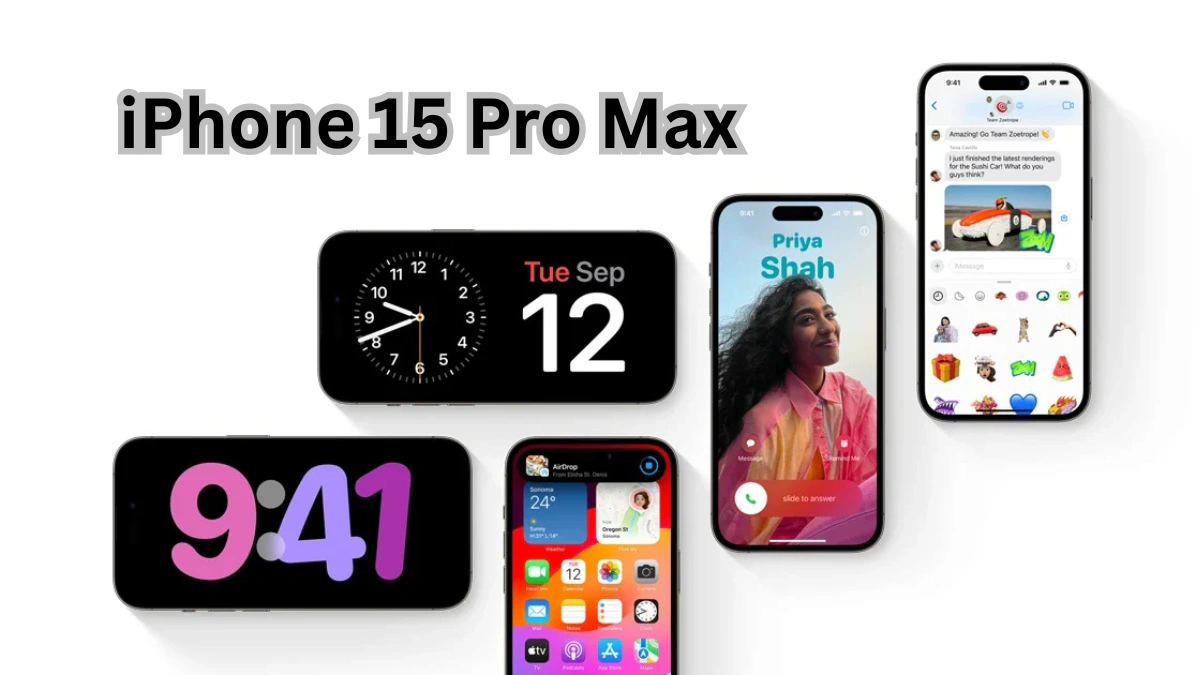
Discover 10 brilliant iPhone 15 Pro Max hacks that unlock hidden features, boost performance, improve battery life, and help you get the most out of Apple’s most powerful iPhone.
Introduction
The iPhone 15 Pro Max is more than just Apple’s biggest and most powerful smartphone—it’s a productivity tool, a professional camera, a gaming console, and a daily companion all rolled into one. With its titanium build, A17 Pro chip, advanced camera system, and customizable Action Button, Apple has packed this device with features that go far beyond basic calling and messaging.
However, many users barely scratch the surface of what the iPhone 15 Pro Max can truly do. Hidden settings, smart shortcuts, and powerful iOS features can dramatically improve your experience—if you know where to find them. Whether you’re a new iPhone user or a long-time Apple fan, mastering these hacks can save time, extend battery life, improve privacy, and help you use your phone more efficiently.
In this in-depth SEO guide, you’ll discover 10 brilliant iPhone 15 Pro Max hacks every user should know. Each hack is explained step by step, with practical use cases and real-world benefits. By the end of this article, you’ll be using your iPhone like a pro.
1. Customize the Action Button for Everyday Power Tasks
One of the most exciting additions to the iPhone 15 Pro Max is the Action Button, replacing the traditional mute switch. While many users leave it set to Silent Mode, this button is far more powerful when customized properly.
What Makes the Action Button Special?
The Action Button can trigger a wide range of actions instantly, including:
- Opening the camera
- Turning on the flashlight
- Starting a voice memo
- Launching accessibility features
- Running custom Shortcuts
How to Customize the Action Button
- Open Settings
- Tap Action Button
- Swipe through the available actions
- Choose the one that fits your daily usage
Pro Tip: Use Shortcuts
The real magic happens when you link the Action Button to the Shortcuts app. For example, you can:
- Open Google Maps and start navigation home
- Turn on Low Power Mode automatically
- Send a preset message to a contact
- Open your favorite productivity app
This single-button customization can save you dozens of taps every day.
2. Unlock Console-Level Gaming Performance with A17 Pro
The A17 Pro chip inside the iPhone 15 Pro Max is Apple’s first 3-nanometer processor, delivering desktop-class performance and console-quality graphics.
Enable Maximum Gaming Performance
To get the best gaming experience:
- Go to Settings > Battery
- Turn off Low Power Mode
- Go to Settings > Display & Brightness
- Enable 120Hz ProMotion
Use Game Mode Automatically
iOS automatically activates Game Mode when supported games are launched. This reduces background activity, improves frame rates, and lowers Bluetooth latency for controllers and AirPods.
Why This Matters
You’ll experience:
- Smoother graphics
- Faster response times
- Better battery optimization during gameplay
If you enjoy games like AAA titles or cloud gaming, this hack transforms your iPhone into a true gaming powerhouse.
3. Master Pro Camera Controls for DSLR-Level Photography
The iPhone 15 Pro Max camera system is incredibly advanced, but many users rely only on Auto mode. By exploring Pro features, you can capture professional-quality photos and videos.
Use ProRAW and ProRes
- ProRAW preserves more image data for advanced editing
- ProRes video delivers cinematic-quality footage
Enable them by:
- Going to Settings > Camera > Formats
- Turning on Apple ProRAW and ProRes
Use 5x Telephoto Like a Pro
The exclusive 5x telephoto lens allows:
- Sharp portrait shots
- Wildlife photography
- Long-distance clarity without digital zoom
Lock White Balance and Exposure
In Pro mode, you can manually lock:
- ISO
- Shutter speed
- White balance
This ensures consistent results in challenging lighting conditions.
4. Extend Battery Life with Smart Charging and Hidden Settings
Despite its large battery, heavy usage can drain the iPhone 15 Pro Max quickly. These battery-saving hacks make a noticeable difference.
Enable Optimized Battery Charging
- Go to Settings > Battery > Battery Health & Charging
- Turn on Optimized Battery Charging
This reduces battery aging by learning your charging routine.
Limit Background App Activity
- Disable Background App Refresh for non-essential apps
- Turn off unnecessary location access
Reduce Motion and Visual Effects
- Go to Settings > Accessibility > Motion
- Enable Reduce Motion
This not only saves battery but also improves performance.
5. Use StandBy Mode as a Smart Display
StandBy Mode turns your iPhone 15 Pro Max into a smart display when charging horizontally.
How to Enable StandBy Mode
- Go to Settings > StandBy
- Turn it on
- Place your iPhone on its side while charging
What You Can Do with StandBy
- Display time and date
- Show live widgets
- Use it as a bedside clock
- View notifications at a glance
This hack is perfect for nightstands, desks, and workspaces.
6. Boost Privacy with App Tracking and Location Controls
Privacy is one of Apple’s biggest strengths, but you must manually enable certain features.
Disable App Tracking
- Go to Settings > Privacy & Security > Tracking
- Turn off Allow Apps to Request to Track
Control Location Precision
- Set apps to While Using the App
- Disable Precise Location for non-essential apps
Lock Sensitive Apps
Use Face ID to lock:
- Notes
- Photos
- Passwords
This keeps your personal data secure even if someone accesses your phone.
7. Use Live Voicemail and Call Screening
Live Voicemail is a powerful feature that lets you read voicemails in real time.
Why It’s Useful
- Screen spam calls
- Decide whether to answer
- Read voicemail without listening
How to Enable
- Go to Settings > Phone > Live Voicemail
- Turn it on
This feature alone can save you hours dealing with unwanted calls.
8. Speed Up Daily Tasks with Back Tap
Back Tap allows you to perform actions by tapping the back of your phone.
How to Enable Back Tap
- Go to Settings > Accessibility > Touch
- Select Back Tap
- Assign actions to Double Tap or Triple Tap
Popular Back Tap Actions
- Screenshot
- Open Control Center
- Lock screen
- Launch apps
This hidden feature feels like a secret shortcut built into your phone.
9. Improve Typing Speed with Keyboard Hacks
Typing faster and more accurately is possible with a few tweaks.
Enable Haptic Keyboard Feedback
- Go to Settings > Sounds & Haptics > Keyboard Feedback
- Turn on Haptic
Use Text Replacement
Create shortcuts for frequently used phrases, emails, or addresses.
Swipe Typing Like a Pro
Hold and glide your finger across the keyboard to type faster with fewer errors.
10. Automate Your iPhone with Shortcuts
The Shortcuts app is one of the most powerful tools on the iPhone 15 Pro Max.
What You Can Automate
- Turn on Wi-Fi when you get home
- Enable Low Power Mode at a certain battery level
- Send automatic messages
- Control smart home devices
Why Shortcuts Matter
Automation saves time, reduces manual effort, and makes your phone adapt to your lifestyle.
Conclusion
The iPhone 15 Pro Max is a feature-packed powerhouse that rewards users who take the time to explore its capabilities. From customizing the Action Button and mastering Pro camera settings to improving privacy and automating daily tasks, these hacks can dramatically transform how you use your device.
By applying these 10 brilliant iPhone 15 Pro Max hacks, you’ll not only improve performance and battery life but also unlock hidden features that many users never discover. Whether you’re focused on productivity, photography, gaming, or privacy, your iPhone 15 Pro Max is capable of far more than you imagine.
Start using these tips today and experience your iPhone at its full potential.
Sources:
FAQs
1. Is the iPhone 15 Pro Max worth upgrading to?
Yes, especially for users who value performance, camera quality, and battery efficiency.
2. Does the iPhone 15 Pro Max have better battery life?
Yes, thanks to the A17 Pro chip and optimized power management.
3. Can the Action Button replace multiple shortcuts?
Absolutely. With Shortcuts integration, it can perform complex actions instantly.
4. Is ProRAW suitable for everyday photos?
ProRAW is best for editing-heavy shots, not casual photography due to file size.
5. How secure is Face ID on iPhone 15 Pro Max?
Face ID remains one of the most secure biometric systems available.
6. Does StandBy Mode work without charging?
No, StandBy Mode only works while the phone is charging.
7. Are these hacks safe to use?
Yes, all hacks mentioned are official iOS features.