Discover 5 incredible iPhone 15 Pro Max camera tricks you must try to capture stunning photos and videos in 2025. Learn pro photography tips, hidden features, and advanced camera settings to elevate your mobile photography experience.
Introduction
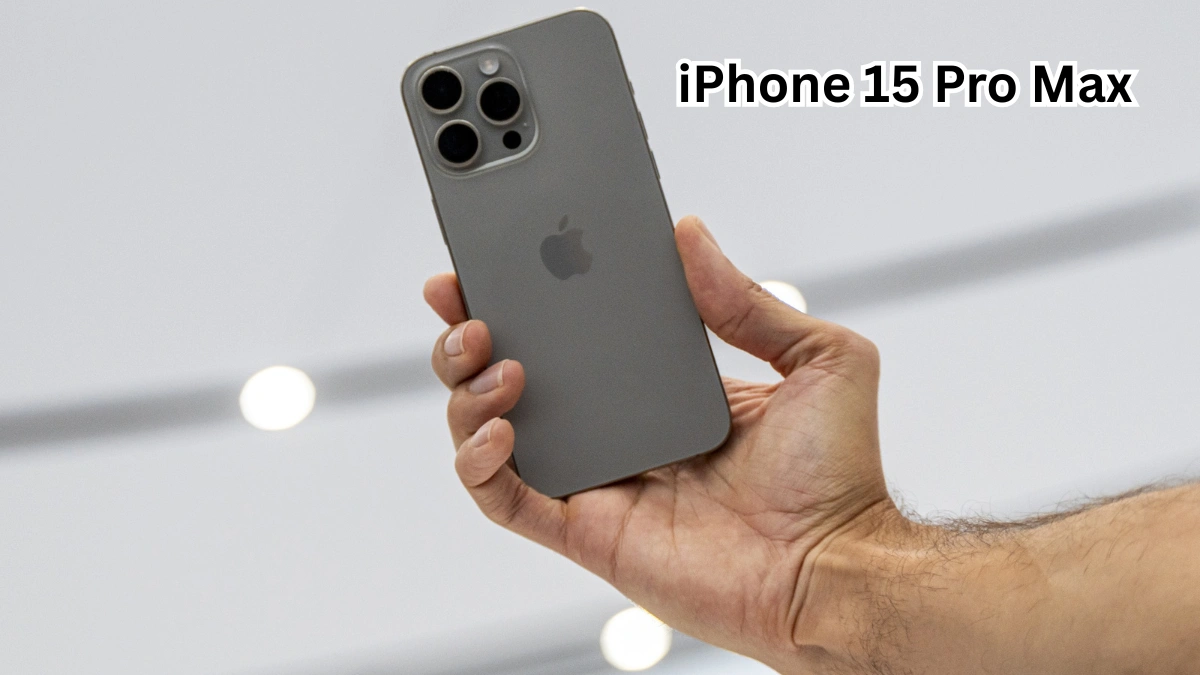
The iPhone 15 Pro Max has redefined smartphone photography in 2025. With its powerful A17 Pro chip, advanced computational photography, and a cutting-edge camera system, Apple has once again set a new benchmark for mobile imaging. While many users admire the impressive camera specs on paper, only a few truly explore the hidden camera tricks that unlock its full potential.
Whether you are a content creator, social media enthusiast, travel blogger, or casual user who loves capturing everyday moments, the iPhone 15 Pro Max camera offers far more than basic point-and-shoot photography. From professional-level portrait control to cinematic video magic, this device is designed to deliver DSLR-like results straight from your pocket.
In this detailed guide, we will uncover 5 incredible iPhone 15 Pro Max camera tricks you must try to transform your photos and videos. These tips are practical, easy to apply, and perfect for anyone who wants to stand out in 2025. Let’s dive in and explore how to take your iPhone photography to the next level.
1. Master ProRAW for Ultra-Detailed Photography
One of the most powerful camera tricks on the iPhone 15 Pro Max is Apple ProRAW, a feature designed for users who want maximum control and image quality. Unlike standard JPEG or HEIF photos, ProRAW captures significantly more data, allowing you to fine-tune every detail during editing.
Why ProRAW Is a Game Changer
ProRAW combines the intelligence of computational photography with the flexibility of RAW files. This means you get better dynamic range, improved color accuracy, and more control over shadows and highlights. Photos shot in challenging lighting conditions, such as sunsets or night scenes, look far more professional when captured in ProRAW.
How to Enable ProRAW
To activate ProRAW on your iPhone 15 Pro Max:
- Open Settings
- Go to Camera
- Tap Formats
- Enable Apple ProRAW
- Choose the resolution that best suits your needs
Once enabled, you can toggle ProRAW directly from the Camera app before taking a photo.
Best Use Cases for ProRAW
- Landscape photography with complex lighting
- Professional portrait shoots
- Editing photos for social media or print
- Night photography with extreme contrast
If you want your photos to look cinematic and polished, ProRAW is a must-use feature.
2. Use Advanced Portrait Mode for Studio-Level Results
Portrait Mode on the iPhone 15 Pro Max is more advanced than ever. Thanks to improved depth mapping and AI enhancements, you can now capture portraits that rival professional cameras.
Automatic Depth Capture
One of the best hidden tricks is that the iPhone 15 Pro Max automatically captures depth information, even if you don’t enable Portrait Mode before shooting. This means you can convert regular photos into portraits later, giving you incredible flexibility.
Control Lighting After Shooting
With the latest camera software, you can adjust:
- Background blur intensity
- Lighting effects
- Subject focus points
This allows you to perfect your portrait long after the photo is taken.
Portrait Mode Tips
- Use natural light for softer skin tones
- Keep the subject at least one meter away from the background
- Experiment with different portrait lighting styles
This trick is ideal for influencers, professionals, and anyone who loves capturing people beautifully.
3. Unlock Cinematic Video Mode Like a Pro
Cinematic Mode on the iPhone 15 Pro Max turns ordinary videos into Hollywood-style scenes. This feature automatically shifts focus between subjects, creating a dramatic depth-of-field effect.
Why Cinematic Mode Is Special
Unlike traditional video recording, Cinematic Mode allows you to:
- Change focus after recording
- Add smooth focus transitions
- Create professional storytelling videos
This is perfect for vloggers, filmmakers, and social media creators.
Pro Tips for Cinematic Videos
- Plan your shots in advance
- Keep movements slow and smooth
- Use good lighting for best results
With the right technique, Cinematic Mode can make your videos look like they were shot with a professional camera crew.
4. Capture Stunning Night Photos with Night Mode Control
Night Mode on the iPhone 15 Pro Max is smarter and more customizable than ever. Many users rely on automatic settings, but manually adjusting Night Mode can significantly improve results.
Manual Exposure Control
You can increase or decrease Night Mode exposure time depending on the lighting conditions. Longer exposure captures more light but requires steady hands or a tripod.
Best Scenarios for Night Mode
- Cityscapes at night
- Low-light indoor photography
- Astrophotography
- Concerts and events
Tips for Better Night Photos
- Keep your phone steady
- Use a stable surface or tripod
- Avoid fast-moving subjects
By mastering Night Mode, you can capture clear and vibrant photos even in near-darkness.
5. Use Macro Photography for Extreme Close-Ups
Macro photography is one of the most underrated camera tricks on the iPhone 15 Pro Max. This feature allows you to capture extreme close-ups with incredible detail.
What Makes Macro Mode Special
Macro Mode automatically activates when you get close to a subject. You can capture textures, patterns, and details invisible to the naked eye.
Best Subjects for Macro Photography
- Flowers and plants
- Insects
- Jewelry and accessories
- Textures like fabric or wood
Macro Photography Tips
- Ensure good lighting
- Keep your hands steady
- Experiment with angles
Macro Mode is perfect for creative photography and product shots.
Conclusion
The iPhone 15 Pro Max is more than just a smartphone—it’s a powerful creative tool. By exploring these 5 incredible iPhone 15 Pro Max camera tricks, you can unlock a new level of photography and videography that goes far beyond basic usage.
From capturing ultra-detailed ProRAW images to creating cinematic videos and stunning night shots, these features empower you to tell stories, express creativity, and capture memories like never before. Whether you are a beginner or an experienced photographer, mastering these camera tricks will help you stand out in 2025.
Start experimenting today, and let your iPhone 15 Pro Max camera transform the way you capture the world.
Sources:
FAQs
1. Is the iPhone 15 Pro Max camera good for professional photography?
Yes, the iPhone 15 Pro Max camera offers professional-level features like ProRAW, advanced portrait mode, and cinematic video, making it suitable for professional photography and videography.
2. How do I take better photos with the iPhone 15 Pro Max?
Use ProRAW for high-quality images, experiment with Portrait Mode, control Night Mode exposure, and practice composition techniques for better results.
3. Does the iPhone 15 Pro Max support 4K video recording?
Yes, it supports high-quality 4K video recording with advanced stabilization and cinematic effects.
4. Can I edit photos taken with ProRAW on my iPhone?
Yes, ProRAW photos can be edited directly on the iPhone using built-in tools or third-party editing apps.
5. Is Night Mode automatic on the iPhone 15 Pro Max?
Night Mode activates automatically in low-light conditions, but you can manually adjust exposure time for better results.
6. What is the best camera setting for social media content?
Portrait Mode and Cinematic Video Mode are ideal for social media, as they create visually appealing and professional content.
7. Does Macro Mode work automatically?
Yes, Macro Mode activates automatically when the camera detects a close subject, but you can also control it manually for precision.